What XProERP adds on top of Odoo.
The app uses your Odoo as it is: your apps, your views, your users. These are the things a phone needs and a browser cannot give.
Works with every customization in your database.
XProERP does not ship its own copy of Odoo's screens. At sign-in it reads your menus, views, fields and access rights from your server, so everything your partner or your team built over the years is there on the phone, exactly as in the browser. Nothing to install, nothing to configure on the server. We store no login or session data: sign-in happens between the phone and your Odoo.
Custom modules
Modules from your partner, the Odoo app store or your own developers appear with their menus, views and buttons. No adapter needed.
Custom fields and views
Fields added to any model, modified forms and lists, computed fields, Studio-style changes: shown and editable as in the browser.
Access rights and record rules
Each user signs in with their own Odoo account. Groups, record rules, field-level rights and multi-company settings apply exactly as on the desktop.
Workflows and automations
Statusbar buttons, onchange, automated actions, approvals and server actions run on your Odoo as always. The app only shows the result.
Two optional extras, for specific setups only:
Push notifications on Odoo 16
On Odoo 17 and later, push notifications will need nothing on the server. On Odoo 16 only, they need one small helper module that we provide; without it, everything else works.
Calls over mobile data
Voice and video calls use Odoo's own Discuss. On Wi-Fi and inside your network they work as in the browser; for calls over 4G or 5G your Odoo needs a TURN server, set under Settings, Discuss, ICE servers. The TURN setup documentation is included in your subscription.
Your whole Odoo, made for the phone.
Lists, kanban and forms
Built from your server's own views: filters, group-by, favourites, drag and drop between stages, onchange, buttons, statusbar, smart buttons and order lines.
Calendar, pivot, graph, activity
Calendar by day, week, month or year, pivot tables with drill-down, bar, line and pie charts, and the activity view.
Gantt and map views
Drawn on the phone, also on Odoo Community: Gantt for manufacturing orders, time off and meetings, and for tasks when your Odoo has planned dates; a map of customers with navigation and call.
Chatter and activities
Send messages, log notes, attach files and photos, follow records, schedule and mark activities done.
Discuss with voice and video calls
Channels and chats in real time, and calls with colleagues who are in the browser, on Odoo's own Discuss.
Offline reading
Screens you opened recently stay readable without network, marked "Last synced". Changes need a connection.
Odoo pages inside the app
Dashboards, reports and anything without a native screen open inside the app, already signed in.
Your branding
Your logo and colours for every user, set by an administrator and stored in your own Odoo.
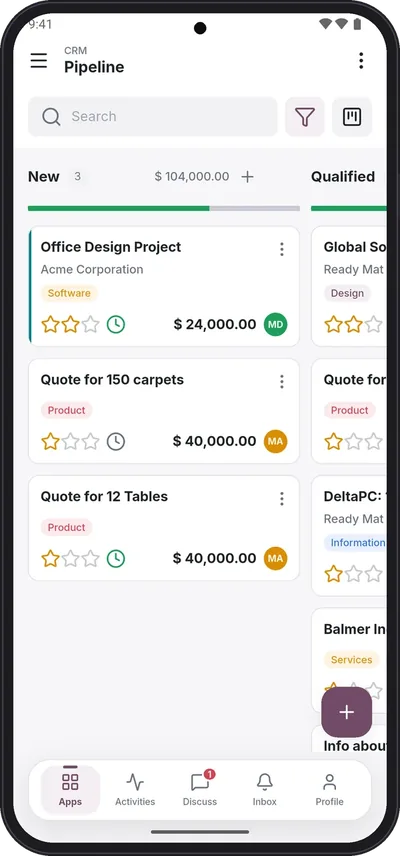
Kanban
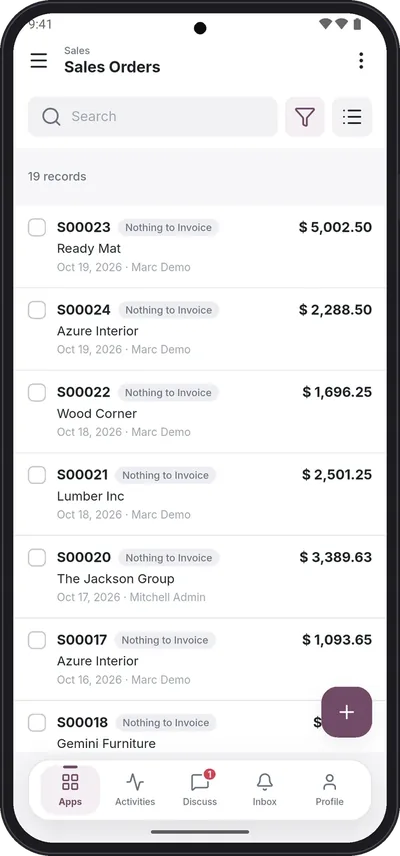
List with filters
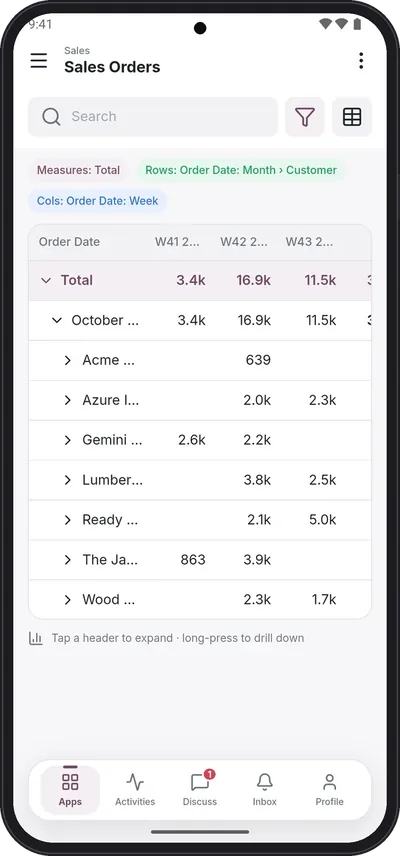
Pivot
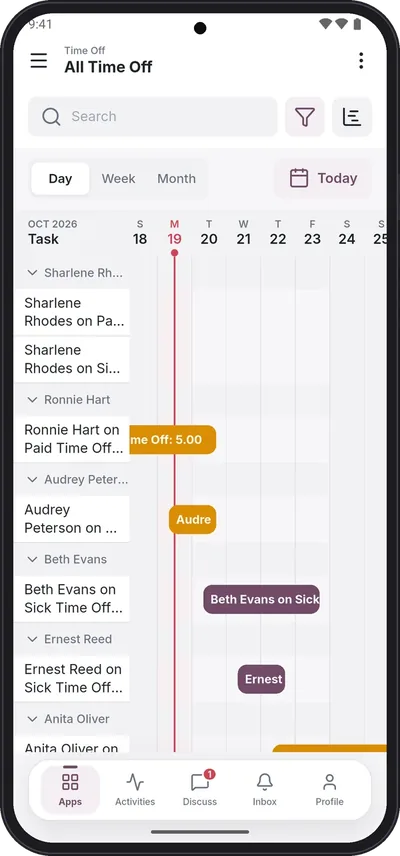
Gantt
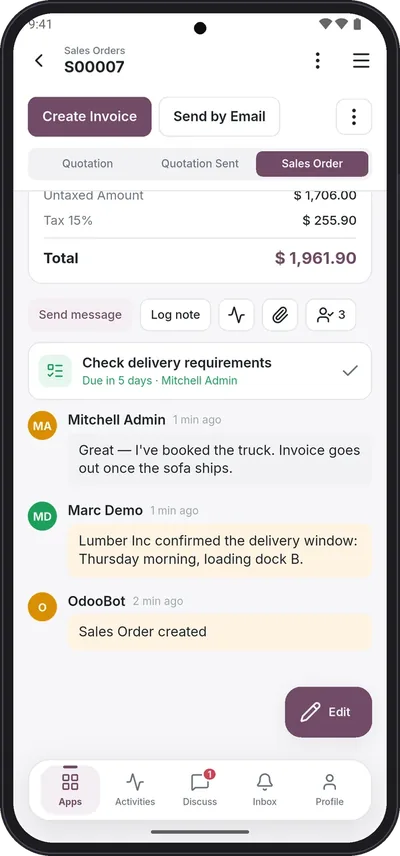
Chatter and activities
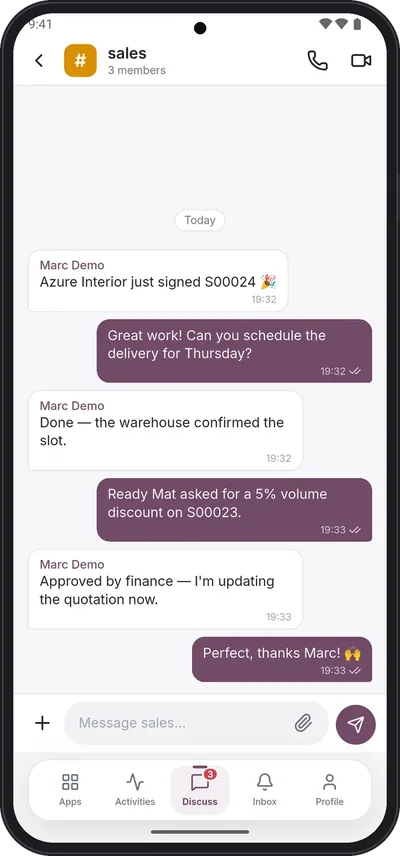
Discuss
Point of Sale and the roll-out tools.
Point of Sale, offline
Open the session online, then sell, take payments, print receipts and refund without network. Orders sync on their own when the signal is back.
Bluetooth receipt printing
ESC/POS thermal printers, 58 or 80 mm, with automatic printing after payment. Arabic prints correctly.
Home screen layout
The administrator sets the order of the apps and hides the ones your company does not use, for everyone.
View presets
For each menu, the first view, default filters and grouping your users should start with.
Push notifications
Messages and mentions on the phone when the app is closed. In development: not available yet.
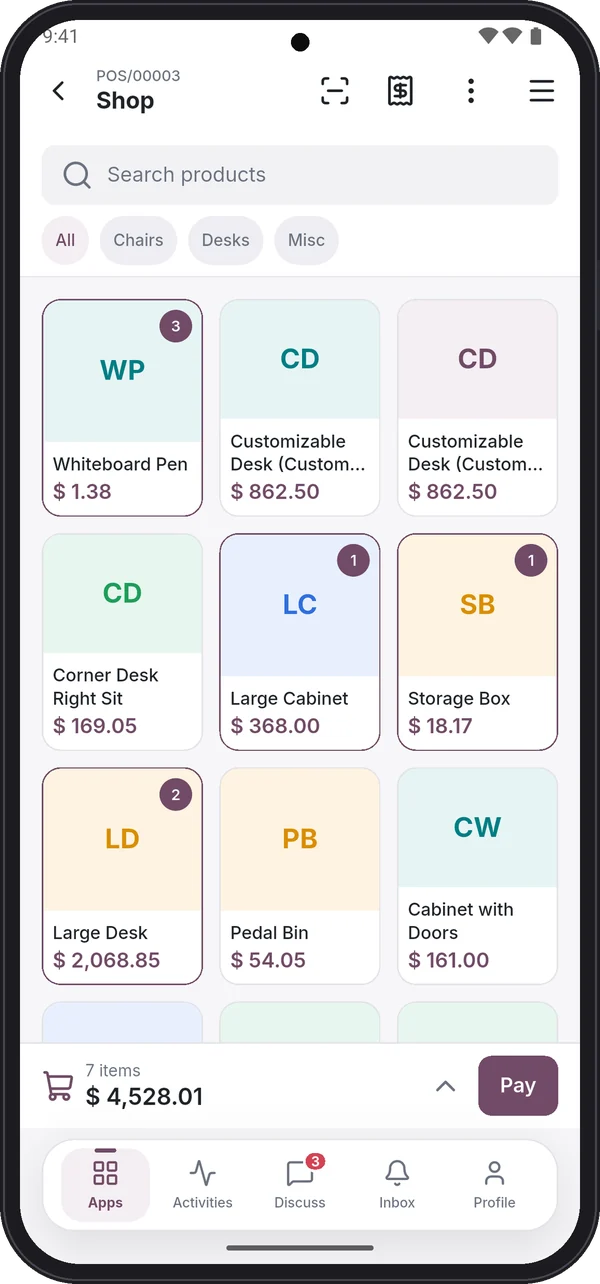
Products and quantities
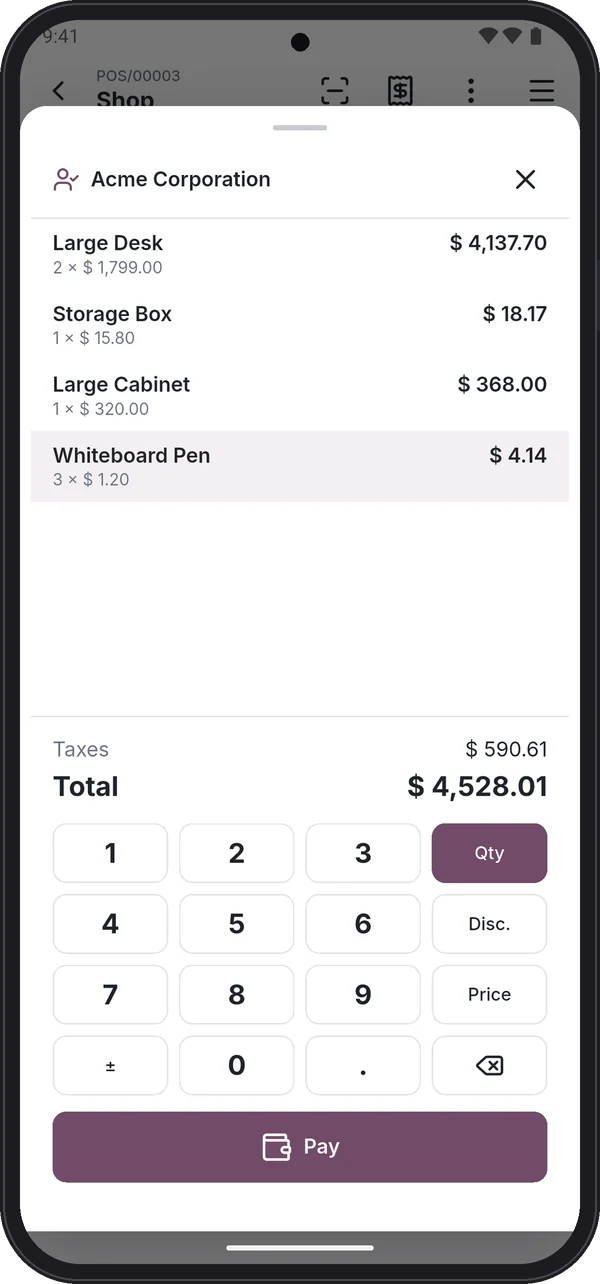
Cart and payment
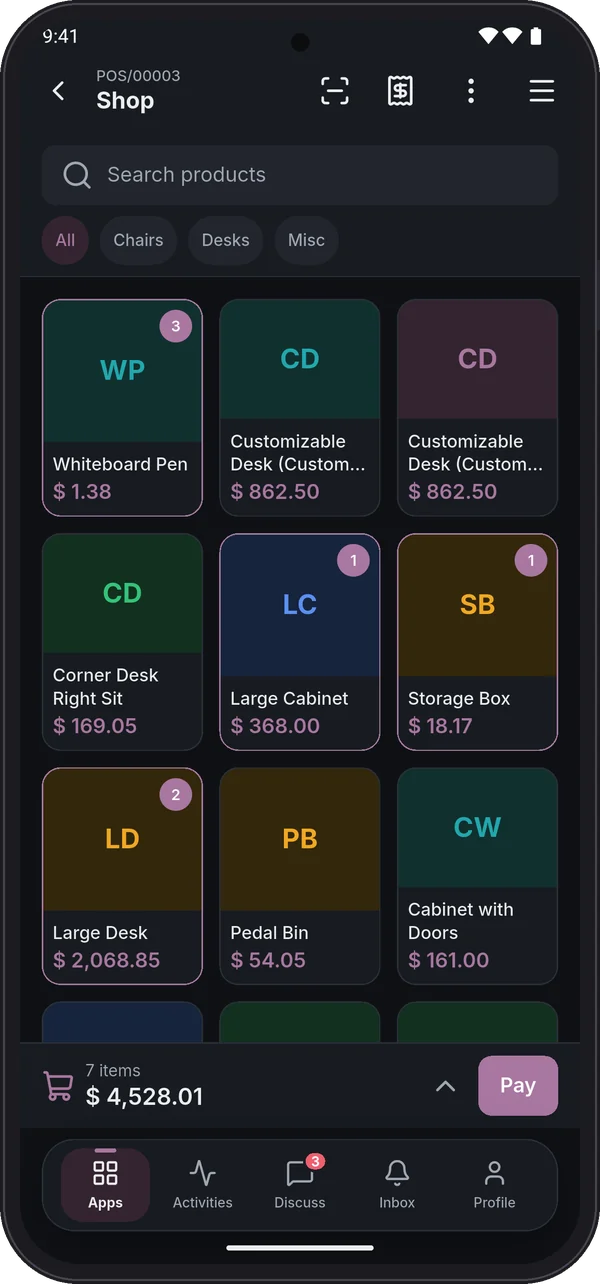
Point of Sale, dark
Small things that make it feel native.
English and Arabic
Full right-to-left layout, Arabic-Indic digits if you want them.
Light and dark mode
Follows the phone, or chosen in the app settings.
Easy sign-in
The database is found for you; scan the sign-in QR code your administrator shares. Two-factor login supported.
Several accounts
Switch between servers, databases and companies without signing out.
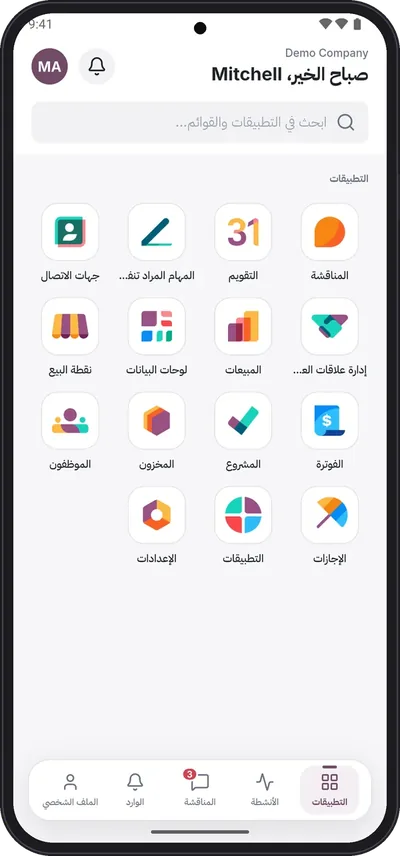
Arabic, right to left
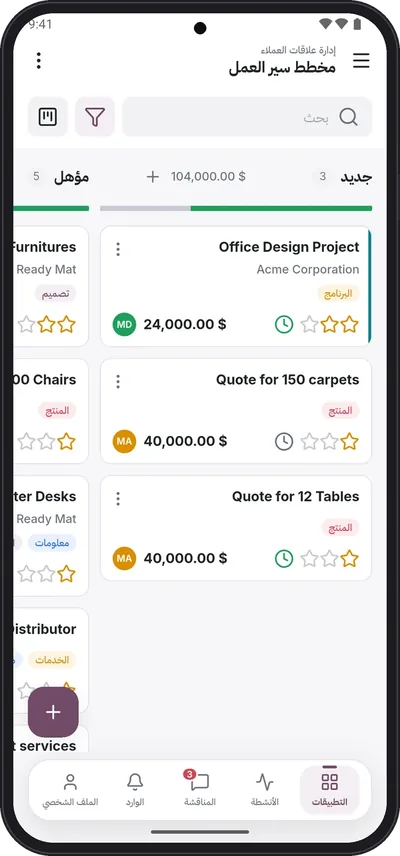
Arabic pipeline
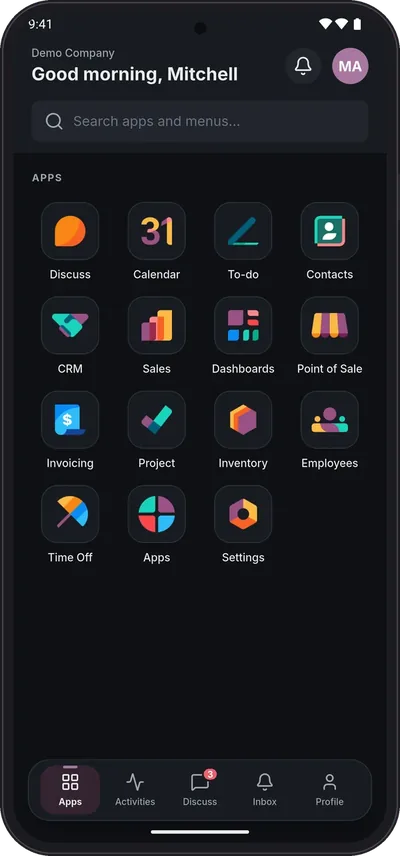
Dark mode
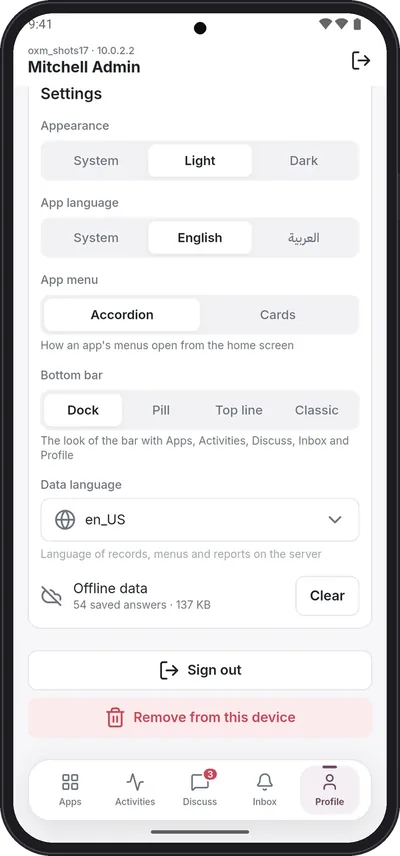
Settings
Your server, your access rights.
The app signs in with each user's own Odoo login and respects the same groups, record rules and multi-company settings. Your business data travels between the phone and your Odoo server only. The phone keeps a cache of recent screens, which the user can clear at any time. We receive only what licensing needs, and crash reports. Your Odoo password and session never reach XSquare and we store no login or session data; for counting users the app sends only an irreversible hash of the login name. See the privacy policy.
Licenses bound to your database
Activated with a verified email of your company, so nobody outside your team can use your subscription.
Signed licenses, checked on the phone
Each install gets a short-lived, signed license tied to your server, your database and that install.
Nothing left behind
"Remove from this device" deletes the account's saved sign-in and offline data. Saved passwords stay in the phone's secure storage.
Good to know.
Does XProERP work with Odoo 16?
Yes. XProERP supports Odoo Community 16, 17, 18, 19 and 20. One app connects to any of them and adapts to that version's views.
Does it work offline?
Screens you opened recently stay readable offline, and the Point of Sale keeps selling, printing receipts and refunding once its session is open. Other changes need a connection.
Do I need to install a module on my Odoo server?
No. The app signs in like the web client with each user's own Odoo login and uses your custom modules, custom fields, workflows and access rights as they are. Two optional extras: push notifications on Odoo 16 need one small helper module from us (Odoo 17 and later need nothing), and calls over mobile data need a TURN server in your Odoo's Discuss settings. Discuss calls also need the /websocket path to pass through your reverse proxy.
Does it work with our custom modules and fields?
Yes, all of them. Modules from your partner or the app store, custom fields on any model, modified views, automated actions and your record rules are used as they are on your server. There is no list of supported apps: if it is in your Odoo and the user can see it in the browser, it is in the app.
Does it support Arabic?
Yes: English and Arabic with a full right-to-left layout, Arabic-Indic digits on request, and Arabic receipts on Bluetooth printers.
Do you store our logins or session data?
No. Sign-in happens between the phone and your Odoo server; your Odoo password and session never reach XSquare, and saved passwords stay in the phone's secure storage. For licensing we receive the verified administrator email, your database identifier and, to count users, an irreversible hash of each login name. Plus crash reports.
Is it an official Odoo app?
No. XProERP is developed by XSquare and is not affiliated with or endorsed by Odoo S.A. Odoo is a registered trademark of Odoo S.A.
How much does it cost?
One plan with everything included: $1 per user per month or $10 per user per year, after a free 7-day trial on your own database.
Good to know.
Does XProERP work with Odoo 16?
Yes. XProERP supports Odoo Community 16, 17, 18, 19 and 20. One app connects to any of them and adapts to that version's views.
Does it work offline?
Screens you opened recently stay readable offline, and the Point of Sale keeps selling, printing receipts and refunding once its session is open. Other changes need a connection.
Do I need to install a module on my Odoo server?
No. The app signs in like the web client with each user's own Odoo login and uses your custom modules, custom fields, workflows and access rights as they are. Two optional extras: push notifications on Odoo 16 need one small helper module from us (Odoo 17 and later need nothing), and calls over mobile data need a TURN server in your Odoo's Discuss settings. Discuss calls also need the /websocket path to pass through your reverse proxy.
Does it work with our custom modules and fields?
Yes, all of them. Modules from your partner or the app store, custom fields on any model, modified views, automated actions and your record rules are used as they are on your server. There is no list of supported apps: if it is in your Odoo and the user can see it in the browser, it is in the app.
Does it support Arabic?
Yes: English and Arabic with a full right-to-left layout, Arabic-Indic digits on request, and Arabic receipts on Bluetooth printers.
Do you store our logins or session data?
No. Sign-in happens between the phone and your Odoo server; your Odoo password and session never reach XSquare, and saved passwords stay in the phone's secure storage. For licensing we receive the verified administrator email, your database identifier and, to count users, an irreversible hash of each login name. Plus crash reports.
Is it an official Odoo app?
No. XProERP is developed by XSquare and is not affiliated with or endorsed by Odoo S.A. Odoo is a registered trademark of Odoo S.A.
How much does it cost?
One plan with everything included: $1 per user per month or $10 per user per year, after a free 7-day trial on your own database.
Good to know.
Does XProERP work with Odoo 16?
Yes. XProERP supports Odoo Community 16, 17, 18, 19 and 20. One app connects to any of them and adapts to that version's views.
Does it work offline?
Screens you opened recently stay readable offline, and the Point of Sale keeps selling, printing receipts and refunding once its session is open. Other changes need a connection.
Do I need to install a module on my Odoo server?
No. The app signs in like the web client with each user's own Odoo login and uses your custom modules, custom fields, workflows and access rights as they are. Two optional extras: push notifications on Odoo 16 need one small helper module from us (Odoo 17 and later need nothing), and calls over mobile data need a TURN server in your Odoo's Discuss settings. Discuss calls also need the /websocket path to pass through your reverse proxy.
Does it work with our custom modules and fields?
Yes, all of them. Modules from your partner or the app store, custom fields on any model, modified views, automated actions and your record rules are used as they are on your server. There is no list of supported apps: if it is in your Odoo and the user can see it in the browser, it is in the app.
Does it support Arabic?
Yes: English and Arabic with a full right-to-left layout, Arabic-Indic digits on request, and Arabic receipts on Bluetooth printers.
Do you store our logins or session data?
No. Sign-in happens between the phone and your Odoo server; your Odoo password and session never reach XSquare, and saved passwords stay in the phone's secure storage. For licensing we receive the verified administrator email, your database identifier and, to count users, an irreversible hash of each login name. Plus crash reports.
Is it an official Odoo app?
No. XProERP is developed by XSquare and is not affiliated with or endorsed by Odoo S.A. Odoo is a registered trademark of Odoo S.A.
How much does it cost?
One plan with everything included: $1 per user per month or $10 per user per year, after a free 7-day trial on your own database.
Good to know.
Does XProERP work with Odoo 16?
Yes. XProERP supports Odoo Community 16, 17, 18, 19 and 20. One app connects to any of them and adapts to that version's views.
Does it work offline?
Screens you opened recently stay readable offline, and the Point of Sale keeps selling, printing receipts and refunding once its session is open. Other changes need a connection.
Do I need to install a module on my Odoo server?
No. The app signs in like the web client with each user's own Odoo login and uses your custom modules, custom fields, workflows and access rights as they are. Two optional extras: push notifications on Odoo 16 need one small helper module from us (Odoo 17 and later need nothing), and calls over mobile data need a TURN server in your Odoo's Discuss settings. Discuss calls also need the /websocket path to pass through your reverse proxy.
Does it work with our custom modules and fields?
Yes, all of them. Modules from your partner or the app store, custom fields on any model, modified views, automated actions and your record rules are used as they are on your server. There is no list of supported apps: if it is in your Odoo and the user can see it in the browser, it is in the app.
Does it support Arabic?
Yes: English and Arabic with a full right-to-left layout, Arabic-Indic digits on request, and Arabic receipts on Bluetooth printers.
Do you store our logins or session data?
No. Sign-in happens between the phone and your Odoo server; your Odoo password and session never reach XSquare, and saved passwords stay in the phone's secure storage. For licensing we receive the verified administrator email, your database identifier and, to count users, an irreversible hash of each login name. Plus crash reports.
Is it an official Odoo app?
No. XProERP is developed by XSquare and is not affiliated with or endorsed by Odoo S.A. Odoo is a registered trademark of Odoo S.A.
How much does it cost?
One plan with everything included: $1 per user per month or $10 per user per year, after a free 7-day trial on your own database.
Good to know.
Does XProERP work with Odoo 16?
Yes. XProERP supports Odoo Community 16, 17, 18, 19 and 20. One app connects to any of them and adapts to that version's views.
Does it work offline?
Screens you opened recently stay readable offline, and the Point of Sale keeps selling, printing receipts and refunding once its session is open. Other changes need a connection.
Do I need to install a module on my Odoo server?
No. The app signs in like the web client with each user's own Odoo login and uses your custom modules, custom fields, workflows and access rights as they are. Two optional extras: push notifications on Odoo 16 need one small helper module from us (Odoo 17 and later need nothing), and calls over mobile data need a TURN server in your Odoo's Discuss settings. Discuss calls also need the /websocket path to pass through your reverse proxy.
Does it work with our custom modules and fields?
Yes, all of them. Modules from your partner or the app store, custom fields on any model, modified views, automated actions and your record rules are used as they are on your server. There is no list of supported apps: if it is in your Odoo and the user can see it in the browser, it is in the app.
Does it support Arabic?
Yes: English and Arabic with a full right-to-left layout, Arabic-Indic digits on request, and Arabic receipts on Bluetooth printers.
Do you store our logins or session data?
No. Sign-in happens between the phone and your Odoo server; your Odoo password and session never reach XSquare, and saved passwords stay in the phone's secure storage. For licensing we receive the verified administrator email, your database identifier and, to count users, an irreversible hash of each login name. Plus crash reports.
Is it an official Odoo app?
No. XProERP is developed by XSquare and is not affiliated with or endorsed by Odoo S.A. Odoo is a registered trademark of Odoo S.A.
How much does it cost?
One plan with everything included: $1 per user per month or $10 per user per year, after a free 7-day trial on your own database.
Good to know.
Does XProERP work with Odoo 16?
Yes. XProERP supports Odoo Community 16, 17, 18, 19 and 20. One app connects to any of them and adapts to that version's views.
Does it work offline?
Screens you opened recently stay readable offline, and the Point of Sale keeps selling, printing receipts and refunding once its session is open. Other changes need a connection.
Do I need to install a module on my Odoo server?
No. The app signs in like the web client with each user's own Odoo login and uses your custom modules, custom fields, workflows and access rights as they are. Two optional extras: push notifications on Odoo 16 need one small helper module from us (Odoo 17 and later need nothing), and calls over mobile data need a TURN server in your Odoo's Discuss settings. Discuss calls also need the /websocket path to pass through your reverse proxy.
Does it work with our custom modules and fields?
Yes, all of them. Modules from your partner or the app store, custom fields on any model, modified views, automated actions and your record rules are used as they are on your server. There is no list of supported apps: if it is in your Odoo and the user can see it in the browser, it is in the app.
Does it support Arabic?
Yes: English and Arabic with a full right-to-left layout, Arabic-Indic digits on request, and Arabic receipts on Bluetooth printers.
Do you store our logins or session data?
No. Sign-in happens between the phone and your Odoo server; your Odoo password and session never reach XSquare, and saved passwords stay in the phone's secure storage. For licensing we receive the verified administrator email, your database identifier and, to count users, an irreversible hash of each login name. Plus crash reports.
Is it an official Odoo app?
No. XProERP is developed by XSquare and is not affiliated with or endorsed by Odoo S.A. Odoo is a registered trademark of Odoo S.A.
How much does it cost?
One plan with everything included: $1 per user per month or $10 per user per year, after a free 7-day trial on your own database.
Good to know.
Does XProERP work with Odoo 16?
Yes. XProERP supports Odoo Community 16, 17, 18, 19 and 20. One app connects to any of them and adapts to that version's views.
Does it work offline?
Screens you opened recently stay readable offline, and the Point of Sale keeps selling, printing receipts and refunding once its session is open. Other changes need a connection.
Do I need to install a module on my Odoo server?
No. The app signs in like the web client with each user's own Odoo login and uses your custom modules, custom fields, workflows and access rights as they are. Two optional extras: push notifications on Odoo 16 need one small helper module from us (Odoo 17 and later need nothing), and calls over mobile data need a TURN server in your Odoo's Discuss settings. Discuss calls also need the /websocket path to pass through your reverse proxy.
Does it work with our custom modules and fields?
Yes, all of them. Modules from your partner or the app store, custom fields on any model, modified views, automated actions and your record rules are used as they are on your server. There is no list of supported apps: if it is in your Odoo and the user can see it in the browser, it is in the app.
Does it support Arabic?
Yes: English and Arabic with a full right-to-left layout, Arabic-Indic digits on request, and Arabic receipts on Bluetooth printers.
Do you store our logins or session data?
No. Sign-in happens between the phone and your Odoo server; your Odoo password and session never reach XSquare, and saved passwords stay in the phone's secure storage. For licensing we receive the verified administrator email, your database identifier and, to count users, an irreversible hash of each login name. Plus crash reports.
Is it an official Odoo app?
No. XProERP is developed by XSquare and is not affiliated with or endorsed by Odoo S.A. Odoo is a registered trademark of Odoo S.A.
How much does it cost?
One plan with everything included: $1 per user per month or $10 per user per year, after a free 7-day trial on your own database.
Try everything free for 7 days.
On your own database, with your own data.